
MenuDart
A small utility for a crowded Mac menu bar
Your menus.Within reach.
App menus and menu bar icons, in popups next to your pointer. Even the ones hidden by a crowded menu bar or the notch.
14-day free trial · One-time purchase for version 1.x
macOS 14+ · Apple silicon & Intel
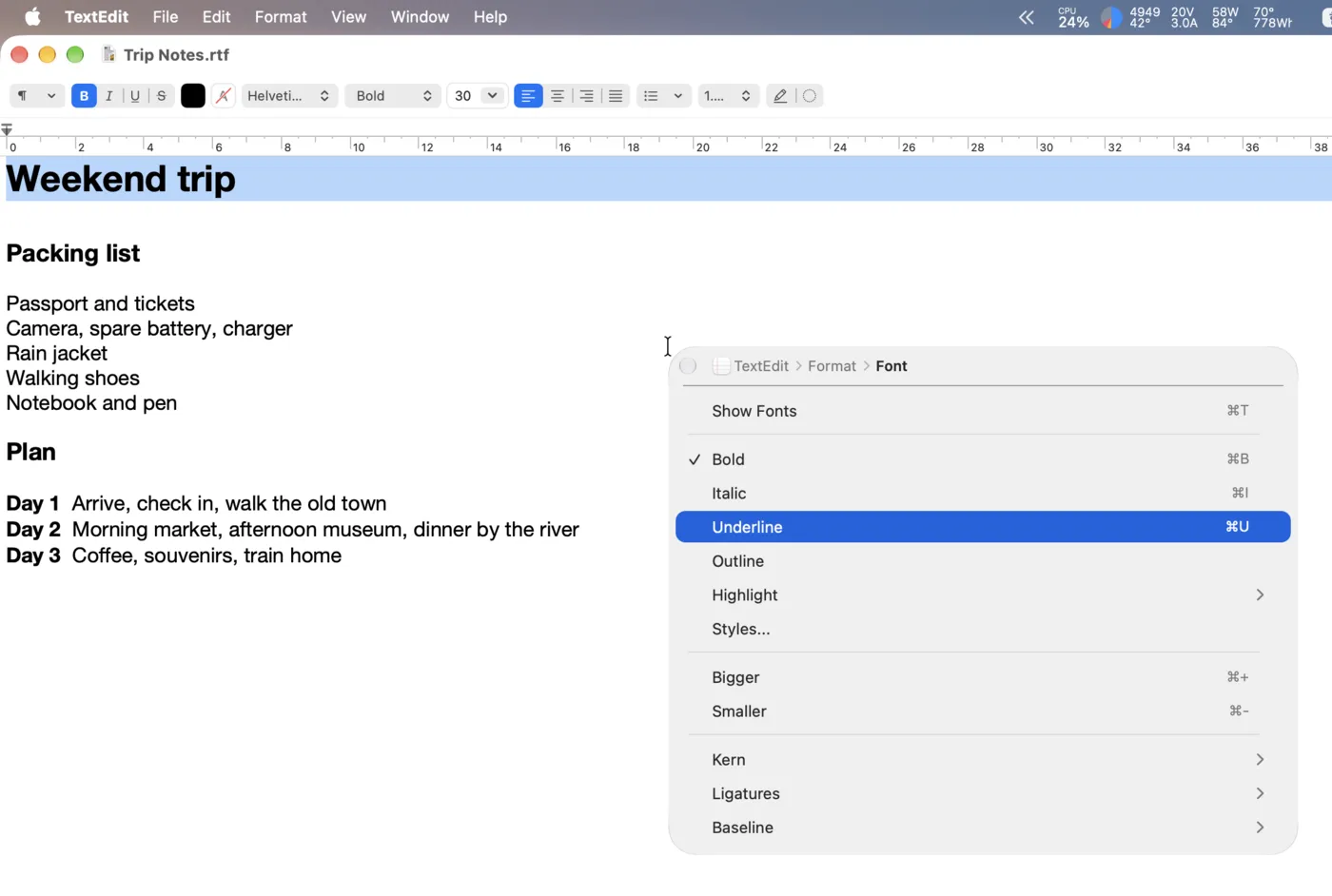
The app menu comes to you.
Open the frontmost app’s menus with a shortcut. File, Edit and the rest are available in one popup, even when their titles don’t fit in the menu bar.
- Move through submenus in place, and use the breadcrumb to jump back.
- Use arrow keys to navigate, Return or Space to run, and Esc to close.
- Keep focus in the app you’re working in.
Find the icons you can’t see.
Gather your menu bar icons in one grid, including Control Center items and icons hidden behind the notch. Pick one, and MenuDart clicks the real icon for you.
- Choose an icon with arrow keys or the pointer.
- Use Space for a left click and Return for a right click. Swap them in Settings.
- Adjust the grid from 1 to 16 icons per row.
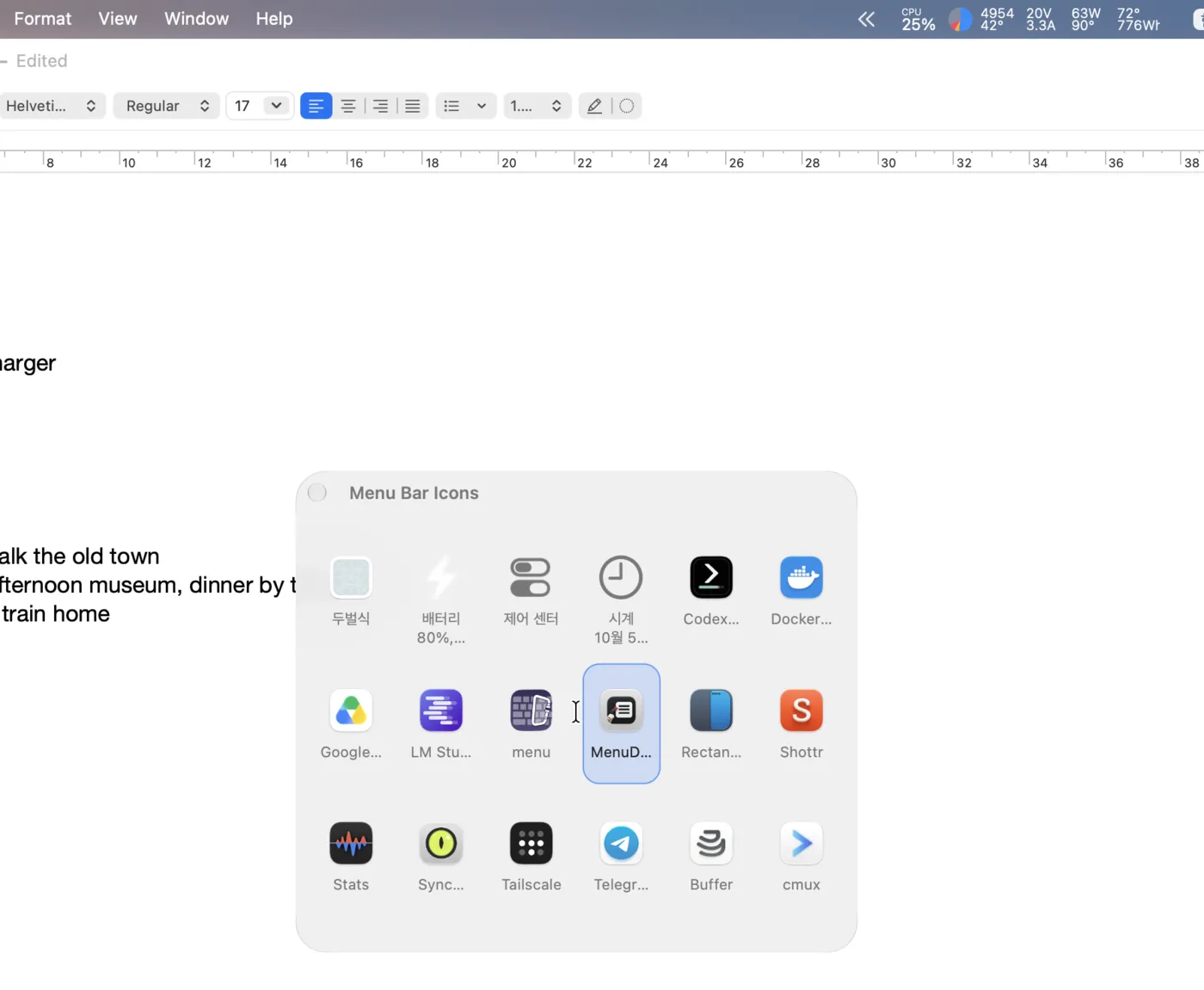
Pick an icon. The pointer takes it from there.
The icon’s menu opens in its usual place under the menu bar. MenuDart moves your pointer onto it, saving the trip to the top of the screen.
Choose Rocket, Trail, Dart, or No Effect for the pointer’s journey.
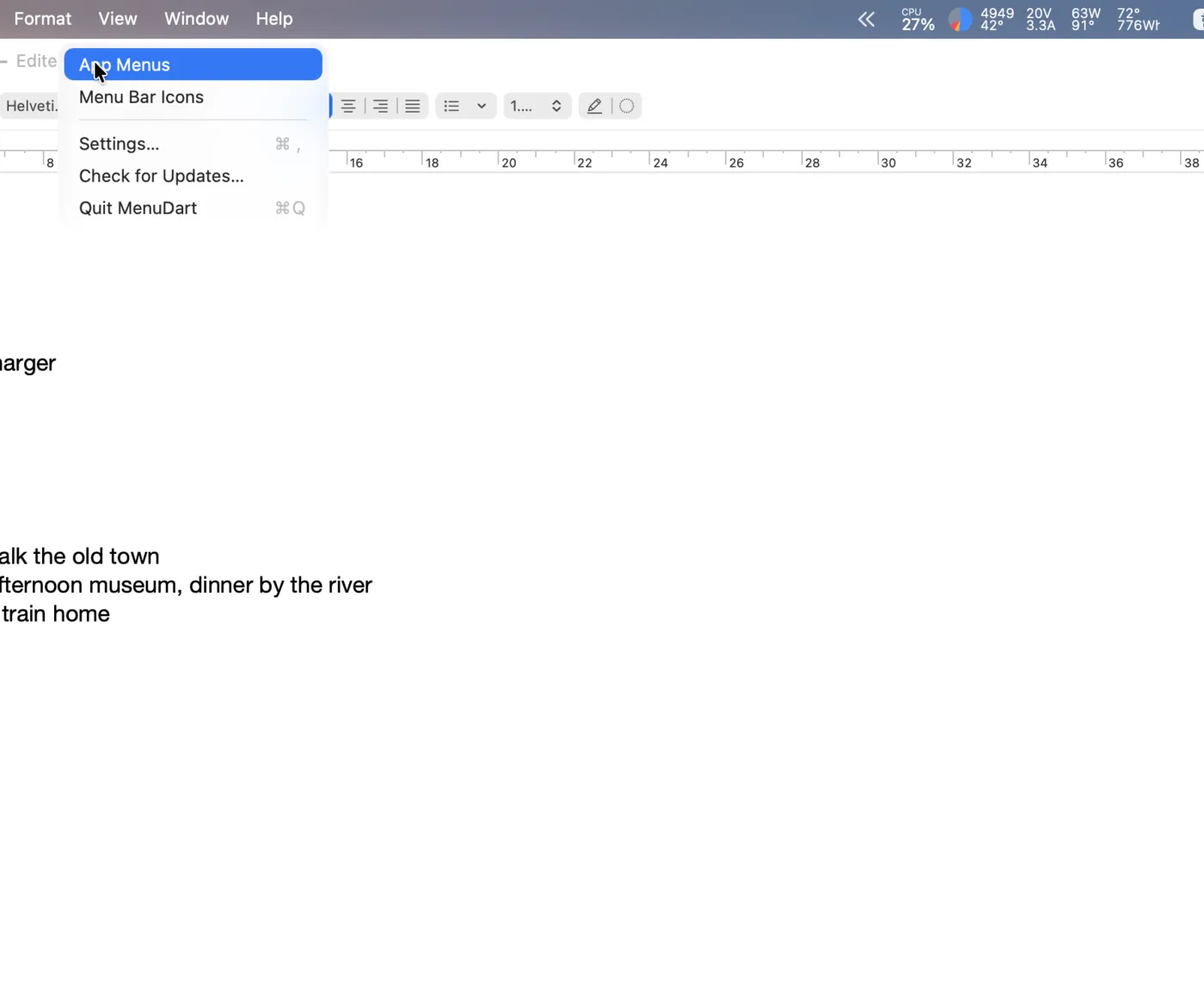
Two popups. One quick walkthrough.
Ready in a few minutes.
Install MenuDart
Download the DMG from GitHub Releases, open it, and drag MenuDart to Applications.
Allow the permissions
The first-launch guide covers Accessibility (required) and Screen Recording (optional). Restart MenuDart after allowing Screen Recording.
Set your shortcuts
No shortcuts are assigned at first. The guide offers ⌥⌘[ for App Menus and ⌥⌘] for Menu Bar Icons, or you can record your own.
Made to fit your Mac.
- Native appearance
- System, Light or Dark. Liquid Glass on macOS 26 and later.
- 11 languages
- English, Korean, Japanese, Chinese (Simplified and Traditional), Portuguese (Brazil), Spanish, Hindi, Italian, German and French.
- Updates from the app
- Check for updates from the MenuDart menu. Automatic checks run once a day and can be turned off in Settings.
Before you download
Which Macs does it support?
MenuDart requires macOS 14.0 or later and runs on both Apple silicon and Intel Macs. It is Developer ID signed and notarized by Apple, and distributed through GitHub Releases.
What do the permissions do?
Accessibility lets MenuDart read app menus and press menu bar icons. Screen Recording is optional: it shows the real menu bar icon images instead of each app’s own icon. These images are not saved or uploaded.
Does it rearrange the menu bar?
Your menu bar stays as it is. MenuDart presents its menus and icons in separate popups. An icon’s own menu opens in its usual position, and the pointer moves to it.
What happens after the free trial?
You can try MenuDart for 14 days. After that, activate a purchased license key to keep opening the popups. A one-time license covers version 1.x; a future major version may require a paid upgrade. See the license agreement for the full terms.
When does MenuDart connect to the internet?
Update checks fetch a feed from GitHub. License activation, deactivation and periodic validation use Lemon Squeezy and send your license key and Mac’s computer name. Once activated, the app keeps working offline. App menus and menu bar images are not uploaded.
Keep your menus close.
Try MenuDart on your own Mac before buying a license.
macOS 14+ · Apple silicon & Intel
Questions or bug reports? Open a GitHub issue