OpenAI Codex for Everyone: New Features in ChatGPT macOS App
OpenAI Codex for Everyone: New Features in ChatGPT macOS App
OpenAI has released a major update to the ChatGPT macOS app titled “Codex for Almost Everything.” I’ve spent some time exploring the new features and setting them up. Here’s a summary of what’s new and how to use them.
https://openai.com/index/codex-for-almost-everything/
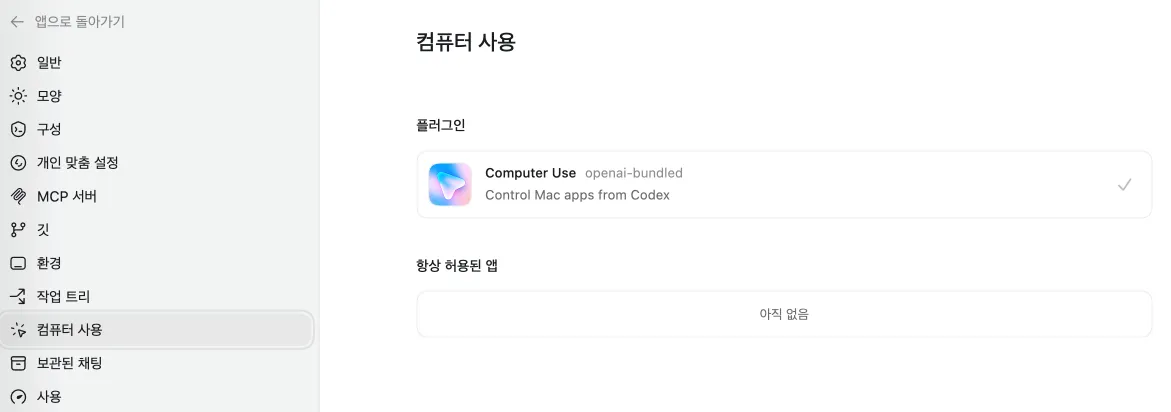
1. Computer Use
To enable this, you need to install a plugin under Settings (cmd + ,) -> Computer Use. We’re entering an era where ChatGPT can directly interact with our computers.
2. Memory
This needs to be turned on in Personalization -> Memory. It allows ChatGPT to remember context from previous conversations, which should be a significant boost for long-term productivity.
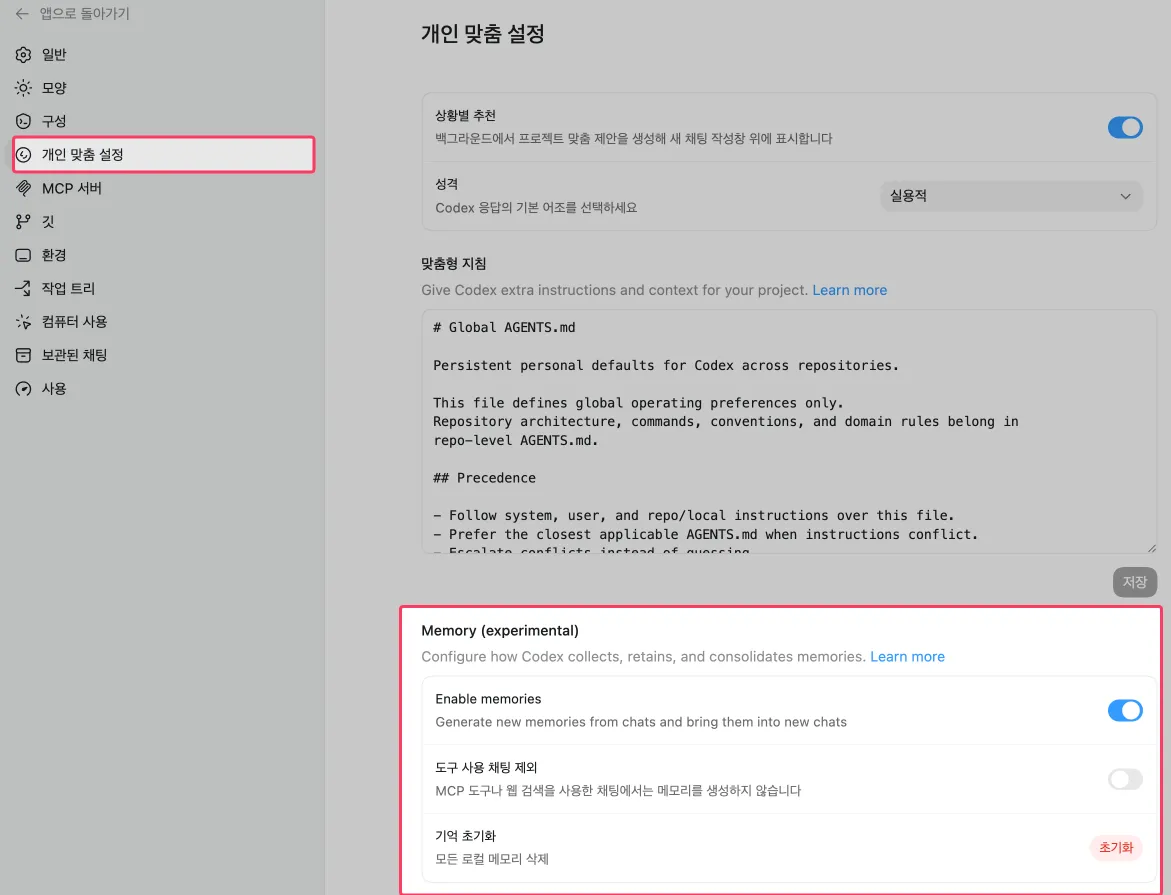
3. Command Palette
The shortcut is cmd + shift + p, identical to VS Code, making it feel very familiar. It might look sparse at first, but scrolling down reveals more commands.
Also, I’m not sure if this was available before, but you can open files in the side panel using cmd + p.
4. Inline Browser
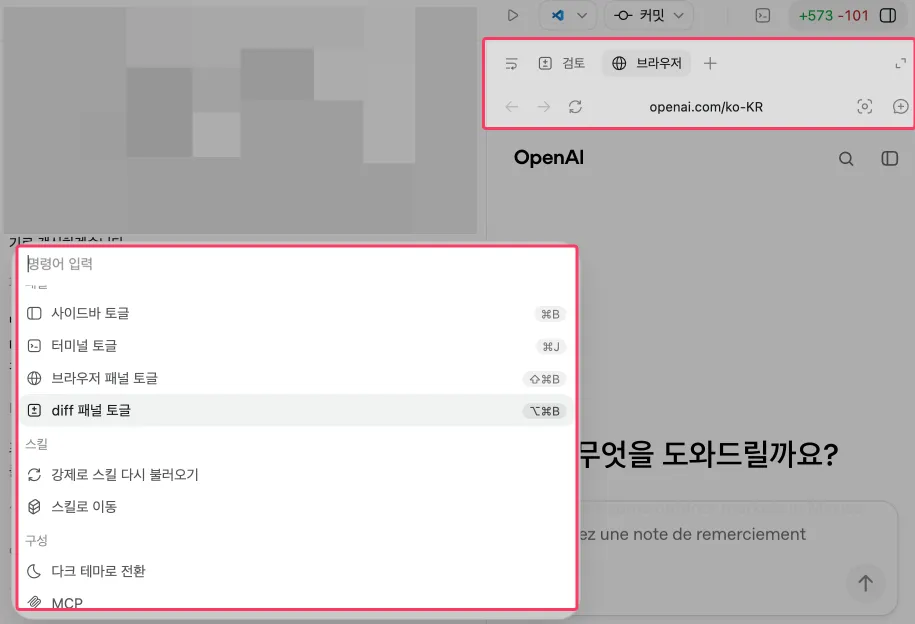
I couldn’t find this in the standard menus, but it’s available via the Command Palette. The shortcut is cmd + shift + b. You can even click on elements to send them directly to the chat, making it much easier to ask questions while browsing.
5. Plan Mode

Previously, you could toggle Plan Mode using the /plan command, but for some reason, it’s not working in this version. It’s still visible in the menu, so the feature itself hasn’t been removed.
6. Chat Mode
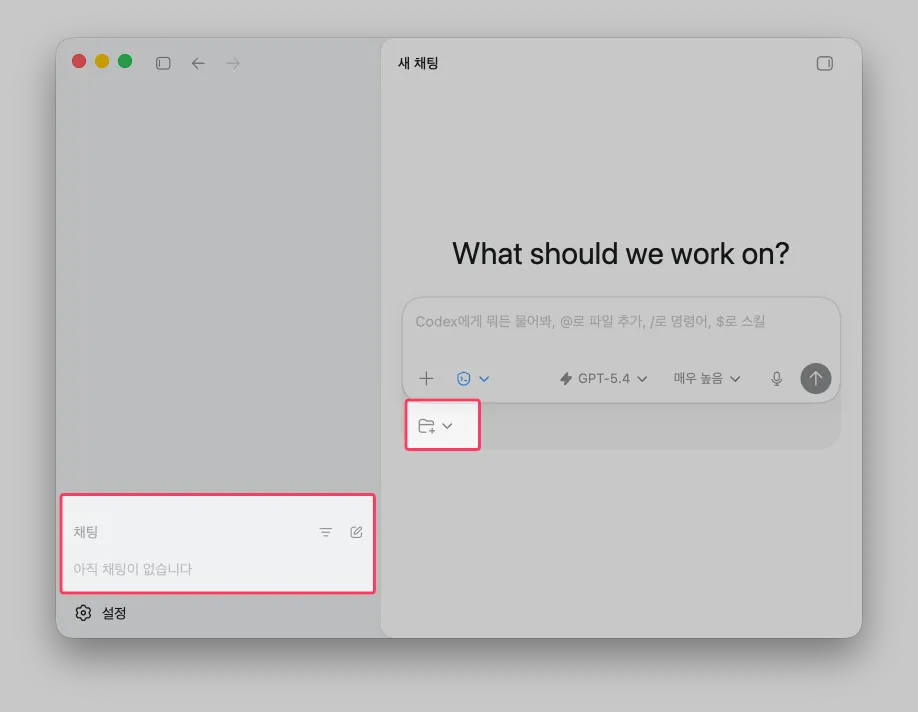
As part of the effort to unify multiple apps, a standalone Chat Mode that isn’t tied to any specific project has been added. I haven’t tried it yet, but it seems like the app’s utility is expanding even further.